
Seagate FireCuda 520N
Gaming Performance That Fits in Your Pocket
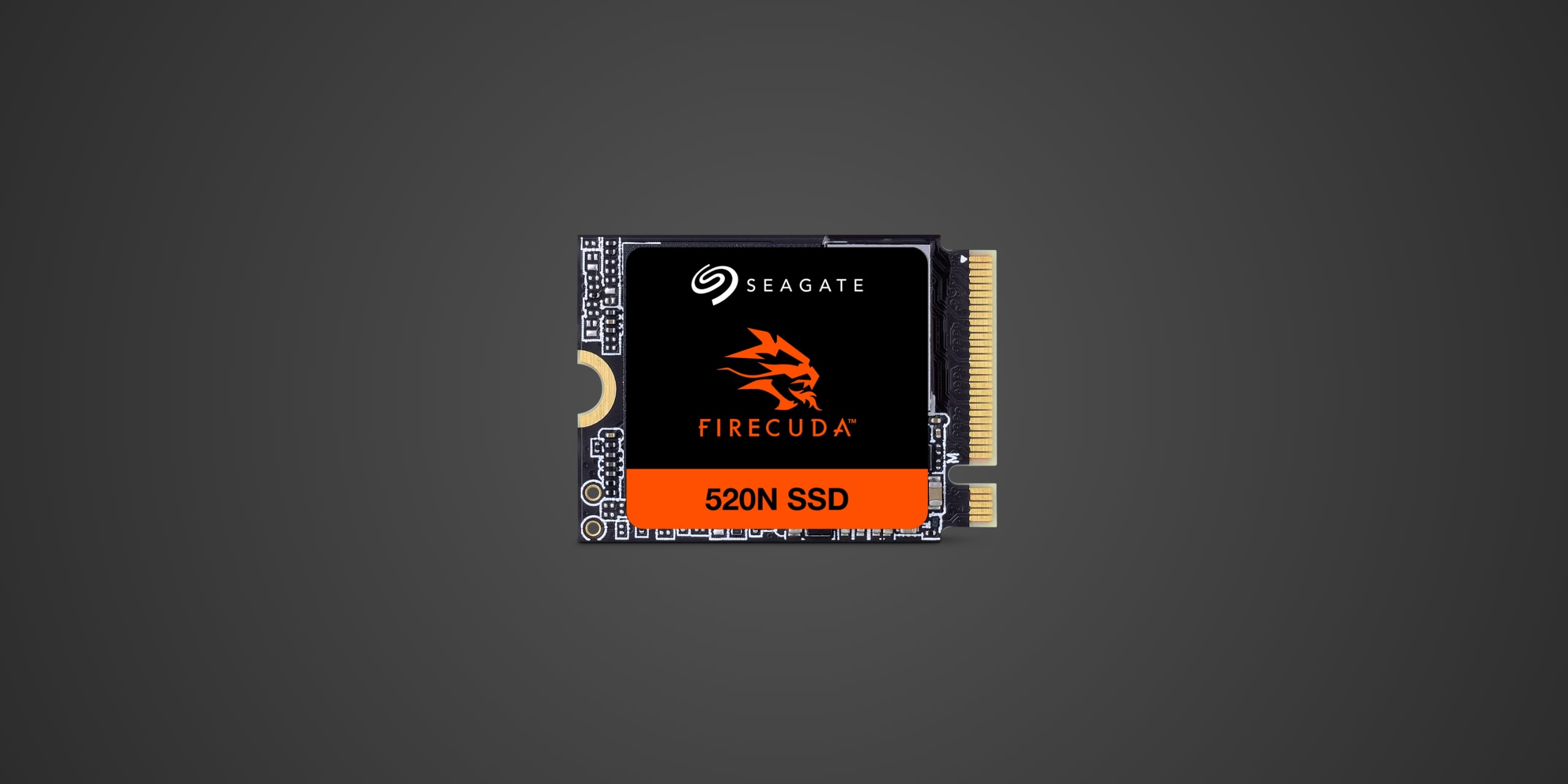
Table of Contents
Introduction
The handheld gaming revolution has a storage problem. Devices like the Steam Deck, ASUS ROG Ally, and Lenovo Legion Go arrive with underwhelming base storage, and upgrading them requires navigating the niche world of M.2 2230 SSDs. Most PC enthusiasts have never even heard of this compact form factor, let alone know which drives are worth buying. The Seagate FireCuda 520N enters this specialized market as a PCIe Gen 4 solution targeting gamers who've outgrown their handheld's factory drive and need room for more than three AAA titles. It's also relevant for Microsoft Surface owners and anyone working with ultra-thin laptops that rely on this compact form factor. Positioned in the mid-range segment of the 2230 market, the FireCuda 520N promises desktop-class Gen 4 performance in a drive smaller than a stick of gum.
Product Overview
The Seagate FireCuda 520N measures just 30.15mm long, 22.15mm wide, and 2.23mm tall, weighing approximately 3 grams. This M.2 2230 form factor is dramatically smaller than the standard M.2 2280 drives found in most desktops and gaming laptops, making it essential for space-constrained devices. The drive connects via a PCIe Gen 4 x4 NVMe 1.4 interface, which represents the sweet spot for portable gaming performance, offering substantially better speeds than the Gen 3 drives many handhelds ship with while avoiding the excessive power consumption of Gen 5 technology.
Inside, you'll find Phison's PS5021-E21T controller, a four-channel design specifically engineered for mobile environments where power efficiency matters as much as raw speed. This is a DRAM-less architecture, meaning there's no dedicated cache chip, but the controller compensates by using Host Memory Buffer technology to borrow system RAM when needed. The drive utilizes Micron's 176-layer 3D TLC NAND, which offers a solid balance between performance, endurance, and cost. TLC, or triple-level cell NAND, stores three bits per cell and represents the standard for consumer SSDs, providing better endurance than QLC alternatives without the cost premium of MLC technology.
Seagate offers the FireCuda 520N in two capacities: 1TB and 2TB. Interestingly, the larger model doesn't just offer more storage—it also delivers different performance characteristics, which we'll explore in the next section.
Performance & Real World Speed
Seagate quotes sequential read speeds of up to 4,800 MB/s for the 1TB model and up to 5,000 MB/s for the 2TB variant. Write speeds diverge even more dramatically: the 1TB model achieves up to 4,700 MB/s, while the 2TB model manages up to 3,200 MB/s. This inverted performance dynamic is unusual—typically, larger capacity drives perform better across the board. The explanation lies in how NAND operates: more physical chips can be accessed simultaneously, boosting read performance, but write caching strategies differ between capacities.
For random operations, which better represent real-world gaming and application performance, Seagate claims the 2TB model delivers 480,000 IOPS for reads and 750,000 IOPS for writes, while the 1TB variant supposedly hits 800,000 IOPS for reads and 900,000 IOPS for writes. These figures suggest the 1TB model might actually feel snappier in everyday use despite lower sequential read speeds.
What does this mean for your Steam Deck or ROG Ally? Game load times will improve noticeably compared to the Gen 3 drives many handhelds ship with. A game that previously took 25 seconds to load might drop to 18-20 seconds. Shader compilation during initial game launches will complete faster, reducing those frustrating stutters that plague portable gaming. If you're using the drive in a Microsoft Surface or ultra-thin laptop, large file transfers and application launches will feel more responsive than SATA-based storage but won't match the blistering speeds of flagship M.2 2280 Gen 4 drives due to the physical constraints of the smaller form factor and fewer NAND channels.
The DRAM-less design means sustained write performance will eventually drop when the SLC cache fills, particularly noticeable if you're copying massive game libraries or video files. For typical gaming use—downloading and installing games one at a time—this limitation rarely surfaces in practice.
Thermal Management
Here's where portable gaming SSDs face their toughest challenge: dissipating heat in cramped, often poorly ventilated chassis. PCIe Gen 4 drives generate substantially more heat than older Gen 3 alternatives, and the FireCuda 520N lacks any integrated heatsink or even a thermal label. It arrives as a bare PCB with exposed NAND chips and controller.
Inside a Steam Deck or ASUS ROG Ally, this actually isn't disastrous. These devices feature metal shields and thermal pads that make contact with the SSD once installed, providing adequate cooling for typical gaming sessions. However, sustained heavy workloads—think downloading multiple large games while simultaneously playing something demanding—can push the drive toward thermal throttling. When this happens, performance temporarily degrades to prevent heat damage, manifesting as hitching during gameplay or slower download speeds.
Microsoft Surface devices present a different thermal environment. Some models have better internal thermal management than others, and users have reported varying experiences with M.2 2230 drive temperatures. If you're planning intensive sustained workloads like video editing or 3D rendering on a Surface, monitoring drive temperatures with software like HWiNFO is wise.
The good news is that the FireCuda 520N's power-efficient Phison controller helps manage heat generation reasonably well for a DRAM-less Gen 4 design. It runs warmer than a Gen 3 drive but not excessively so under typical usage patterns. Users who've upgraded their Steam Decks report stable performance during multi-hour gaming sessions, suggesting thermal throttling isn't a constant concern.
Compatibility
The Seagate FireCuda 520N is compatible with any device featuring an M.2 2230 slot and PCIe Gen 4, Gen 3, or Gen 2 support. The drive automatically negotiates the appropriate interface speed, meaning it works perfectly in older Gen 3 slots found in the original Steam Deck, though performance will be capped at Gen 3 speeds in those configurations.
Confirmed compatible devices include the Valve Steam Deck and Steam Deck OLED, ASUS ROG Ally and ROG Ally X, Lenovo Legion Go, Microsoft Surface Pro models with M.2 2230 slots, and various ultra-thin laptops from Dell, HP, and Lenovo that utilize this compact form factor. Installation typically requires removing the device's back panel and disconnecting the battery before swapping drives, processes that range from straightforward to moderately challenging depending on the device.
For PlayStation 5 internal expansion, this drive is NOT compatible. The PS5 requires M.2 2280 drives with sustained read speeds of 5,500 MB/s or faster, and the 2230 form factor physically won't fit the console's M.2 slot. Similarly, Xbox Series X and S consoles are explicitly NOT compatible with standard M.2 NVMe drives for internal storage expansion. Microsoft requires proprietary Seagate Storage Expansion Cards for Series X/S internal expansion, and there are no exceptions to this requirement. The FireCuda 520N can be used with Xbox consoles only if installed in an external USB enclosure, and even then, it can only store and play Xbox One titles, not optimized Series X/S games.
The drive works across Windows, Linux, and macOS without special drivers, though macOS may require reformatting to APFS for optimal performance. File system choice matters for cross-platform compatibility: exFAT works across all operating systems but lacks some advanced features, while NTFS favors Windows and APFS is macOS-native.
Strengths & Weaknesses
The FireCuda 520N succeeds at delivering legitimate PCIe Gen 4 performance in the constrained M.2 2230 form factor, which immediately elevates it above the Gen 3 drives found in most handheld gaming devices at launch. The 2TB capacity option is particularly significant because many competing 2230 drives top out at 1TB, forcing users who need more space to compromise on capacity or seek harder-to-find alternatives. Seagate's inclusion of a five-year limited warranty and three years of Rescue Data Recovery Services provides reassurance that's uncommon in the 2230 market, where some manufacturers offer only three-year warranties.
The pricing structure reveals the drive's primary weakness. The 1TB model commands approximately 110 dollars, positioning it at parity with Western Digital's SN770M and significantly above alternatives like the Corsair MP600 Core Mini and Teamgroup MP44S. For the premium Seagate charges, buyers aren't receiving notably superior performance or features that justify the cost difference. The 2TB model fares better at around 190 dollars, representing competitive value within the limited 2TB 2230 market, though it's not dramatically cheaper than alternatives.
Performance lands squarely in "good enough" territory without exciting anyone. The drive delivers what it promises and won't bottleneck your handheld gaming experience, but it also won't set new benchmarks or provide the snappy responsiveness of DRAM-equipped drives. The DRAM-less design keeps costs reasonable but means sustained write performance eventually degrades when the SLC cache exhausts itself. For gaming, this rarely matters. For content creators using a Surface to edit video from the drive, it's more noticeable.
When compared to the Western Digital SN770M, Corsair MP600 Core Mini, and Teamgroup MP44S, the FireCuda 520N performs roughly equivalently in real-world gaming scenarios. All these drives share similar controller architectures and NAND types, resulting in comparable experiences once installed. The deciding factors become pricing, warranty terms, and brand preference. Seagate's longer warranty and data recovery services tip the scales if those matter to you, but aggressive discounting on competitors can quickly shift the value equation.
Verdict: Should You Buy It?
Buy this if:
- You own a Steam Deck, ROG Ally, Legion Go, or compatible handheld and need to upgrade from the factory drive
- You require 2TB of storage and the FireCuda 520N is competitively priced or on sale in your region
- You value Seagate's five-year warranty and three years of Rescue Data Recovery Services
- You're upgrading a Microsoft Surface or ultra-thin laptop with an M.2 2230 slot
- You want a straightforward Gen 4 upgrade without researching dozens of obscure 2230 drive options
Skip this if:
- You're considering the 1TB model at full price when cheaper alternatives perform identically
- You already have a Gen 3 2230 drive and primarily play less demanding indie games where load time differences are negligible
- You're looking for the absolute fastest 2230 drive regardless of cost and should explore premium alternatives
- You need storage for PS5 or Xbox Series X/S internal expansion, as this drive is not compatible with those consoles
- You rarely fill your device's current storage and the upgrade cost isn't justified by your actual usage