
SanDisk WD_BLACK SN850P
Your PS5 Expansion Done Right
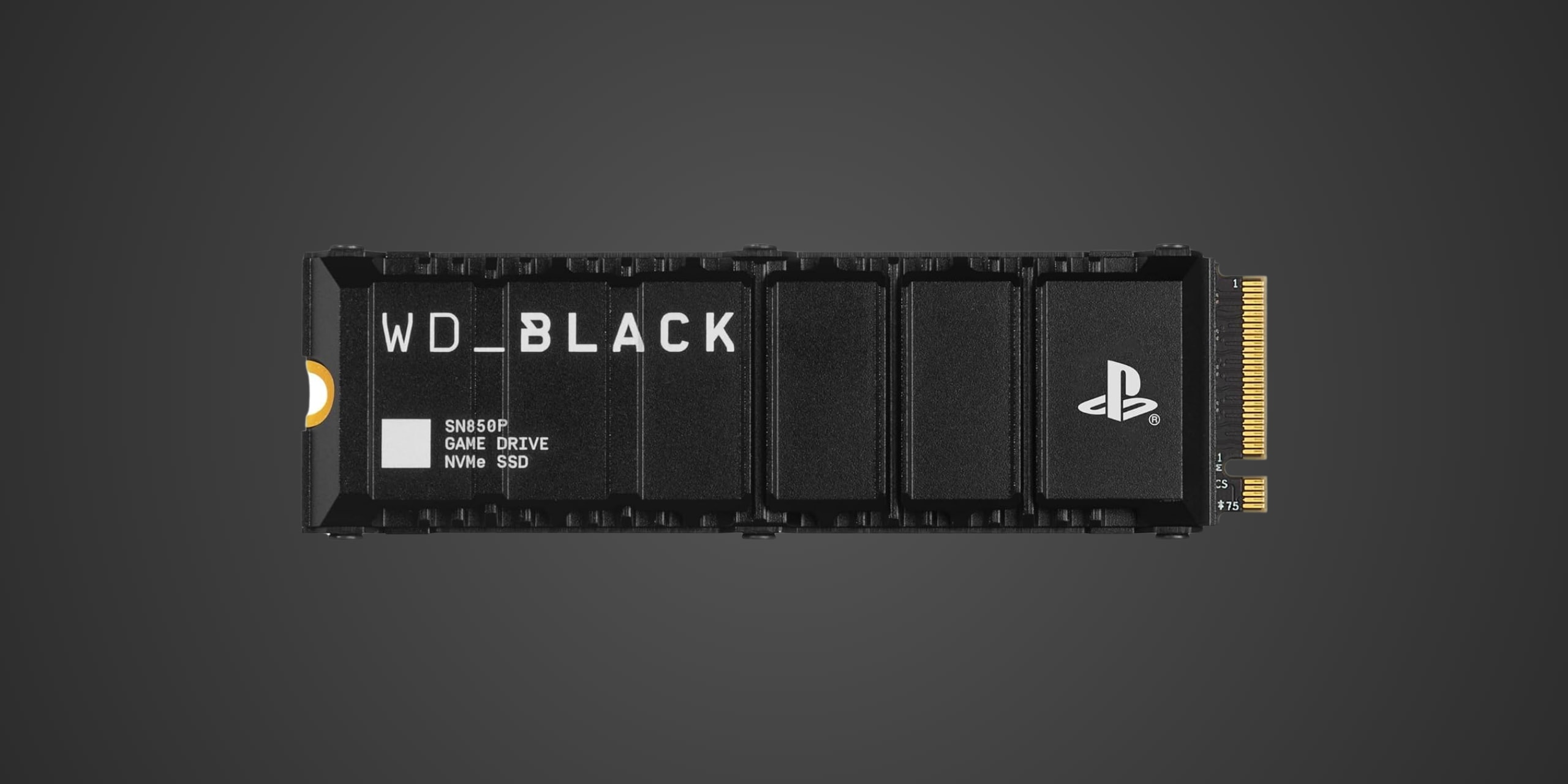
Table of Contents
Introduction
If you're a PlayStation 5 owner staring down the dreaded "insufficient storage" notification for the third time this month, the WD_BLACK SN850P NVMe SSD was literally built for you. This is Western Digital's officially licensed PS5 expansion drive, engineered specifically to slip into Sony's M.2 expansion slot without the guesswork or compatibility anxiety that comes with rolling the dice on generic PCIe Gen 4 drives. With capacities ranging from 1TB to a staggering 8TB and an integrated heatsink optimized for the PS5's cramped internal dimensions, this drive positions itself as the plug-and-play solution for gamers who want more storage without becoming amateur console surgeons. It's also perfectly capable in high-performance gaming PCs, though its PS5-specific design and branding make it clear where Western Digital's target sits.
Product Overview
The SN850P arrives as a standard M.2 2280 form factor drive, which fits both PS5 consoles and the vast majority of desktop and laptop M.2 slots. It connects via a PCIe 4.0 x4 interface, delivering up to 7,300 MB/s sequential read speeds and 6,600 MB/s write speeds depending on capacity. The integrated heatsink isn't just cosmetic posturing—it's been specifically engineered to remain under the PS5's 11.25mm height restriction while providing adequate thermal management for sustained gaming sessions. Western Digital doesn't publish specific controller or NAND details for this drive, which is increasingly common in the consumer SSD market, but the performance characteristics suggest modern TLC NAND paired with a capable controller design. The drive lacks DRAM cache, instead relying on Host Memory Buffer technology where your system's RAM serves as cache, which is standard practice for many current-generation gaming SSDs and rarely impacts real-world gaming performance. Capacity options span 1TB, 2TB, 4TB, and 8TB, giving you flexibility based on your library size and budget tolerance. Each drive comes backed by a five-year limited warranty, which is respectable for a consumer gaming drive.
Performance & Real World Speed
Western Digital rates the SN850P at up to 7,300 MB/s sequential read and up to 6,600 MB/s sequential write speeds, both of which comfortably exceed Sony's minimum 5,500 MB/s recommendation for PS5 internal expansion. What this translates to in practice is load times that match or occasionally edge out the PS5's internal SSD, meaning you won't experience slower performance just because a game lives on your expansion drive rather than the console's native storage. Installing massive titles like Call of Duty or Baldur's Gate 3 becomes significantly faster compared to using an external USB drive, and those initial boots from rest mode feel snappy without the lag you'd get from slower Gen 3 drives or SATA SSDs. On the PC side, the SN850P delivers excellent everyday gaming performance with DirectStorage API readiness for titles that support it, though you're not getting the absolute bleeding-edge speeds of flagship drives like the Samsung 990 Pro or WD's own SN850X. For large file transfers such as copying over recorded gameplay footage or moving game installations between drives, the high sequential write speeds mean you're not sitting around waiting for progress bars to inch along. The drive employs SLC caching to maintain peak speeds during bursty workloads, and while sustained writes will eventually see performance drop when that cache fills, this rarely matters for typical gaming scenarios where you're writing game installations or save files rather than continuously recording 4K video.
Thermal Management
PCIe Gen 4 SSDs generate considerable heat under sustained load, and the M.2 slot inside the PS5 presents a thermal challenge since it's essentially tucked away with limited airflow. Western Digital addresses this with an aluminum heatsink that covers the drive's controller and NAND chips, dissipating heat effectively enough to prevent thermal throttling during extended gaming sessions. The heatsink design is low-profile specifically to fit within Sony's dimensional requirements—you don't need to remove it or worry whether it'll physically fit, which is half the battle when installing aftermarket drives in the PS5. The thermal solution here is adequate rather than exceptional, meaning the drive will run warm under heavy use but shouldn't hit throttling temperatures that tank performance mid-game. If you're installing this in a desktop PC, the included heatsink works fine for most scenarios, though gaming motherboards with substantial M.2 heatsinks of their own might provide slightly better cooling if clearance permits. For laptop installations, clearance becomes trickier since many slim machines lack the vertical space for drives with integrated heatsinks, so check your laptop's service manual before committing. The drive doesn't require active cooling like a fan, which keeps things simple and silent.
Compatibility
The SN850P's primary selling point is its PS5 compatibility, and Western Digital has done the homework here. The drive meets all of Sony's technical requirements including the PCIe 4.0 interface, minimum 5,500 MB/s read speed, M.2 2280 form factor, and critically important dimensional restrictions with the heatsink installed. You simply pop off the PS5's expansion bay cover, slide the drive into the dedicated M.2 slot, secure it with the included screw, and the console handles the rest including formatting and speed verification. Sony's system firmware will test the drive's performance upon first boot and confirm it meets spec, giving you confidence you're getting proper speeds rather than discovering performance issues weeks later. For Xbox Series X and S owners, understand this clearly: this drive is not compatible with Xbox internal expansion, as Microsoft requires proprietary Seagate Storage Expansion Cards for that purpose. You could theoretically use the SN850P as external storage via a USB enclosure for backward-compatible Xbox One games, but that's an expensive and impractical application. On desktop PCs, the drive works in any M.2 slot that supports PCIe 4.0 or 3.0 with x4 lanes, and it's backward compatible so even older Gen 3 systems will run it, just at Gen 3 speeds. Modern gaming motherboards from the past four years should have no issues, and the drive supports Windows 10 and 11, various Linux distributions, and can work in Macs with compatible M.2 slots though you'll need to format appropriately. The drive consumes typical power for a PCIe Gen 4 SSD, so power supply concerns are effectively zero unless you're running an ancient or severely underpowered unit.
Strengths & Weaknesses
The SN850P's greatest strength is eliminating guesswork for PS5 owners who want plug-and-play storage expansion without researching thermal solutions or compatibility matrices. The included heatsink specifically optimized for PS5's tight dimensional constraints means you're not buying a separate heatsink or worrying whether your chosen cooler exceeds Sony's 11.25mm height limit, which has tripped up plenty of enthusiasts trying to DIY their expansion with standard PC drives. Performance is robust across capacities, with speeds that exceed PS5 requirements by a comfortable margin and translate to responsive load times that feel indistinguishable from the console's internal SSD. The five-year warranty provides reasonable long-term protection, and having official Sony licensing gives buyers confidence they won't encounter unexpected compatibility issues down the road. Build quality feels solid with the aluminum heatsink adding heft and legitimacy compared to drives with flimsy graphene labels pretending to manage thermals. Western Digital's reputation for reliability in the storage space adds trust factor that matters when you're storing hundreds of gigabytes worth of game downloads.
The downside territory starts with pricing, as the "officially licensed for PS5" badge and integrated heatsink command a premium over competing Gen 4 drives with similar performance specifications. You can buy a Samsung 990 Pro or WD SN850X, add an aftermarket M.2 heatsink, and potentially save $20-40 depending on capacity, though you lose the convenience factor and official compatibility assurance. The lack of DRAM cache might raise eyebrows for enthusiast PC builders, though in practical gaming scenarios this rarely manifests as noticeable performance degradation since HMB handles most caching duties adequately. Western Digital's reluctance to publish specific controller and NAND information makes it harder for technical buyers to assess the drive's longevity potential or compare component quality against competitors who are more transparent. Endurance ratings, while not published prominently in the promotional materials, appear standard for consumer TLC drives rather than exceptional. For pure PC gaming use where PS5 compatibility is irrelevant, you might find better value or slightly higher peak speeds from competing flagship drives that don't carry the console-specific design premium.
Verdict: Should You Buy It?
Buy this if:
- You own a PlayStation 5 and need internal storage expansion without the hassle of researching compatibility or sourcing heatsinks separately
- You value plug-and-play convenience and official licensing over hunting for the absolute cheapest price-per-gigabyte
- You're upgrading from the PS5's base storage or a slower external drive and want load times that match the console's internal SSD
- You need 4TB or 8TB capacities that exceed what typical aftermarket drives offer with guaranteed PS5 compatibility
- You prefer buying from established brands with solid warranty support and customer service infrastructure
Skip this if:
- You're comfortable researching specifications and installing aftermarket heatsinks to save money on a faster drive like the Samsung 990 Pro
- You already own a high-performance PCIe Gen 4 drive and compatible heatsink, making the SN850P redundant
- You're shopping purely for PC gaming where the PS5-specific design features provide no additional value
- Budget is tight and price-per-gigabyte is your primary concern rather than convenience or official compatibility
- You need the absolute fastest Gen 4 speeds for professional workstation tasks rather than gaming