
SanDisk WD_BLACK SN770
Fast, Affordable Gen 4 Gaming Storage
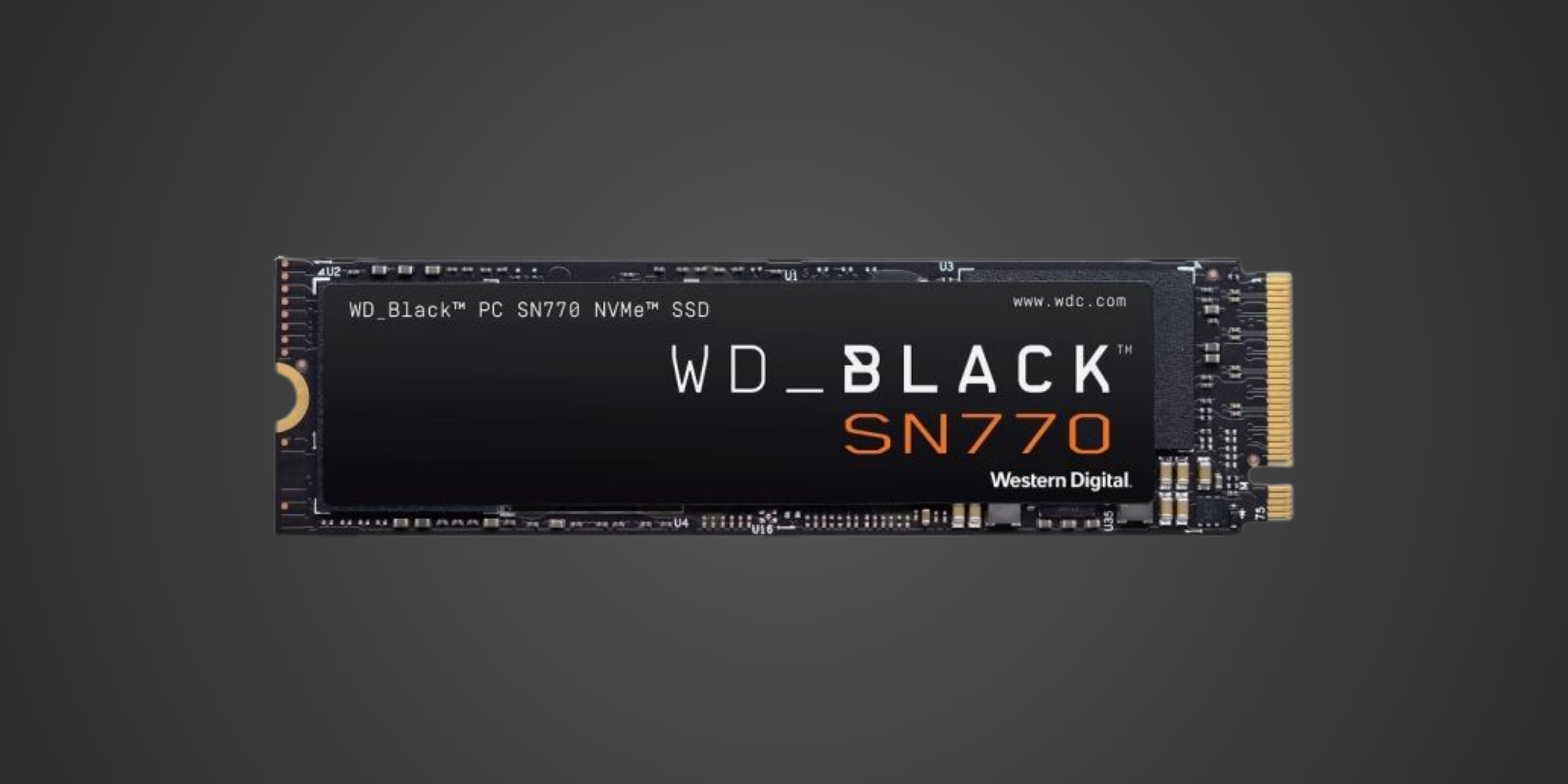
Table of Contents
Introduction
The WD_BLACK SN770 arrives as Western Digital's budget-conscious answer to the Gen 4 NVMe question that's been nagging PC gamers and upgraders for the past few years. You want the speed boost that PCIe 4.0 promises, but you don't want to drain your wallet on flagship drives like the Samsung 990 Pro or WD's own SN850X. This is where the SN770 makes its pitch as the goldilocks option in WD's gaming lineup, a drive that positions itself squarely in the mid-range tier by leveraging a DRAM-less architecture and host memory buffer technology to keep costs down while still delivering respectable Gen 4 performance.
Built for gamers upgrading from aging SATA SSDs or older PCIe Gen 3 drives, the SN770 targets those who want noticeably faster load times without paying the premium that comes with cutting-edge hardware. It's the drive for building a capable gaming rig on a reasonable budget, expanding storage in a laptop that's outgrown its original capacity, or simply adding another fast drive to your system without breaking the bank. The SN770 uses Western Digital's own four-channel controller paired with 112-layer TLC NAND from Kioxia, delivering up to 5,150 MB/s sequential reads on the 1TB and 2TB models while maintaining efficiency that won't cook your motherboard or require exotic cooling solutions.
In the current market hierarchy, the SN770 slots into that sweet spot between budget Gen 3 drives and premium Gen 4 flagships. It's faster than the Gen 3 holdouts still lingering in many systems, yet significantly cheaper than the performance kings that dominate benchmark charts. This positioning makes it particularly appealing for mainstream gaming builds where every dollar matters, but you still want the responsiveness and future-proofing that PCIe 4.0 brings to the table.
Product Overview
The WD_BLACK SN770 comes in the standard M.2 2280 form factor, meaning it's 80mm long and fits in virtually every desktop motherboard and most laptops manufactured in the last several years. The drive features a single-sided design with all components mounted on one face of the PCB, which is great news for laptop users dealing with tight clearances or ultra-thin chassis where double-sided drives won't fit. The aesthetic is understated with a black PCB and a label that's busier than it needs to be, adorned with QR codes and text that won't matter once it's installed under a motherboard heatsink anyway.
Under the hood, Western Digital equips the SN770 with its proprietary four-channel controller, officially designated as the 20-82-10081-A1 Polaris MP16+ though WD remains characteristically tight-lipped about the specifics. This controller is notably DRAM-less, meaning the drive skips the dedicated DRAM cache that higher-end drives use to track file locations and manage data operations. Instead, the SN770 relies on Host Memory Buffer, or HMB for short, which borrows a small portion of your system RAM to handle these tasks. This architectural choice is the primary reason WD can price the drive so aggressively, though it does introduce some performance characteristics worth understanding, particularly around sustained workloads where the drive can't lean on a physical cache.
The NAND itself is 112-layer TLC from Kioxia, which represents solid mainstream flash that balances performance with endurance and cost. TLC, or triple-level cell NAND, stores three bits per cell and has become the standard for consumer drives because it offers good speed and reasonable longevity without the expense of MLC or the performance compromises of QLC. To help smooth out write performance and absorb bursts of incoming data, Western Digital employs a dynamic SLC cache where a portion of the TLC NAND temporarily operates in faster single-level cell mode. On the 1TB model this cache measures 377GB, while the 2TB version gets a generous 740GB buffer. Once you exceed these cache sizes during sustained writes, speeds drop to around 560 MB/s as data gets folded from the SLC cache back into the slower TLC portion. For most gaming and everyday use cases this won't matter, but content creators working with massive video files should be aware of this behavior.
The SN770 connects via a PCIe 4.0 x4 interface, which provides up to 8 GB/s of theoretical bandwidth in each direction, though real-world speeds will be lower due to protocol overhead and other limitations. The drive is backward compatible with PCIe 3.0 systems, where it will happily saturate that older interface's roughly 4 GB/s bandwidth ceiling. Capacity options include 250GB, 500GB, 1TB, and 2TB variants, though the 250GB model suffers from significantly reduced performance specifications and should generally be avoided unless you're building an extremely budget-constrained system. The 1TB and 2TB models represent the best value and performance combination in the lineup.
Performance & Real World Speed
Western Digital rates the SN770 at up to 5,150 MB/s sequential read and 4,900 MB/s sequential write for the 1TB model, with the 2TB version maintaining the same read speed but dropping slightly to 4,850 MB/s for writes. Random performance reaches up to 740,000 IOPS for reads and 800,000 IOPS for writes on the 1TB capacity, specifications that put this drive comfortably ahead of any PCIe 3.0 SSD and in the same neighborhood as other mid-range Gen 4 competitors. These numbers represent WD's official claims based on internal testing under ideal conditions, so expect real-world performance to land somewhat lower depending on your system configuration, thermal conditions, and the specific workload.
For gamers, these speeds translate into tangible improvements over older storage. If you're coming from a SATA SSD that tops out around 550 MB/s, you're looking at load times that can be cut nearly in half for games with large initial loads. Windows boot times drop noticeably, typically shaving 10-15 seconds off cold starts compared to SATA drives. When installing modern games that frequently exceed 100GB, you'll appreciate how much faster those Steam or Epic downloads write to disk. The difference becomes especially apparent in open-world titles that stream assets constantly as you traverse the map, where the SN770's improved random read performance helps eliminate stuttering and texture pop-in that plague slower drives.
The drive also supports Microsoft's DirectStorage API, the technology designed to let games load assets directly to the GPU without bothering the CPU. While DirectStorage-enabled games remain relatively rare as of this writing, having this capability means the SN770 won't immediately become obsolete as more developers adopt the technology. For content creators working with large video files, 4K timelines, or RAW photo libraries, the sequential speed improvements mean faster project loads and smoother scrubbing through footage, though the lack of DRAM and eventual cache exhaustion means the SN770 isn't the ideal choice for constant, heavy write workloads like professional video production.
One important characteristic to understand is the drive's behavior around sustained performance. Thanks to that SLC cache, the SN770 starts strong and can maintain its rated speeds while writing within the cache boundaries. Push past those limits during extended file transfers or recording sessions, and performance settles into that 560 MB/s post-cache speed mentioned earlier. For most users this won't come up in daily use because gaming workloads rarely involve sustained multi-hundred-gigabyte writes, but it's worth knowing if you plan to use this drive for tasks that involve moving massive amounts of data regularly. The DRAM-less architecture also means that performance can suffer slightly when your system RAM is heavily utilized, since the drive is borrowing some of that memory for its own housekeeping tasks through the HMB feature.
Thermal Management
PCIe Gen 4 drives generate more heat than their Gen 3 predecessors simply because they're pushing more data through the same physical space, and the SN770 is no exception to this thermal reality. Multiple reviewers have noted that the drive's controller temperature climbs quickly during sustained workloads, with the drive reaching 60 degrees Celsius relatively rapidly even with brief cool-down periods between benchmark runs. This isn't necessarily cause for alarm since modern SSDs are designed to operate at these temperatures, but it does mean you'll want to pay attention to cooling if you plan to push the drive hard or install it in a thermally constrained environment.
The SN770 ships without any cooling solution whatsoever, which is typical for drives at this price point but does mean you'll need to rely on your motherboard's built-in M.2 heatsink or add an aftermarket solution. Most modern motherboards include at least basic aluminum heatsinks over the M.2 slots, and these generally prove adequate for keeping the SN770 operating within spec under normal gaming workloads. The drive's single-sided design makes it compatible with virtually any motherboard heatsink, and the relatively modest power consumption compared to flagship Gen 4 drives means it's not as thermally demanding as something like a 990 Pro or SN850X.
Western Digital has implemented thermal throttling that prioritizes data integrity over performance when temperatures climb too high. If the drive gets excessively hot, it will automatically reduce its operating speed to prevent damage and ensure your data remains safe. In practice, this means that extended benchmark runs or sustained large file transfers might see performance dip as the drive heats up, though real-world gaming scenarios rarely trigger this protection because game loads tend to be bursty rather than sustained. If your motherboard lacks adequate M.2 cooling or you're installing the drive in a location with poor airflow, such as under a large graphics card with minimal clearance, adding a low-profile third-party heatsink is inexpensive insurance against thermal issues.
For PlayStation 5 users considering this drive for the console's internal expansion slot, thermal management becomes particularly important. The PS5's M.2 bay is an enclosed space with limited natural airflow, and Sony explicitly requires any expansion drive to include a heatsink. While some users have reported success using the SN770 in a PS5 with an appropriate low-profile heatsink, the drive's borderline compatibility due to its slightly below-spec read speeds means thermal throttling could compound performance issues. If you're set on using an SN770 in a PS5, choose a quality heatsink designed specifically for console use and ensure the total assembly height including the heatsink stays under Sony's 11.25mm requirement.
Compatibility
On the PC side, the WD_BLACK SN770 offers straightforward compatibility that should work with virtually any system built in the last several years. The drive requires an M.2 slot that supports Key M PCIe connections, which describes essentially every desktop motherboard from 2017 onward and most laptops from the same era. Your motherboard's M.2 slot should provide PCIe 4.0 x4 lanes to fully utilize the drive's capabilities, though the SN770 gracefully falls back to PCIe 3.0 speeds on older platforms and will happily saturate that slower interface. Most modern Intel platforms from 10th gen onwards and AMD platforms from Ryzen 3000 and newer offer PCIe 4.0 support, though you'll want to check your specific motherboard specifications to confirm.
From a BIOS perspective, any system manufactured after 2015 should have no trouble recognizing and booting from the SN770. NVMe support is essentially universal at this point, and the drive works seamlessly as a boot device or secondary storage across Windows 10, Windows 11, and modern Linux distributions. Mac compatibility is present for use as external storage when paired with an appropriate USB enclosure, though installing NVMe drives internally in Macs is limited to specific models and often requires technical knowledge beyond what average users possess. Power requirements are minimal and pose no concern even for the smallest power supplies, as the drive draws modest wattage compared to flagship Gen 4 models.
PlayStation 5 compatibility is where things get complicated and requires careful attention. Sony's official requirements for the PS5's internal M.2 expansion slot specify three critical criteria. First, the drive must be PCIe 4.0 NVMe in the M.2 2280 form factor, which the SN770 satisfies. Second, the drive must achieve sequential read speeds of at least 5,500 MB/s, and this is where the SN770 falls short at 5,150 MB/s. Third, a heatsink is mandatory, and the SN770 ships without one. While Sony lists the 5,500 MB/s figure as a recommendation rather than a hard requirement, and some users have reported the SN770 working in their PS5 systems with an aftermarket heatsink installed, this drive technically does not meet Sony's stated specifications and should not be considered a reliable PS5 expansion option.
The performance shortfall matters because the PS5 was designed around its custom SSD achieving certain throughput targets, and using a slower drive could theoretically cause issues with games that push storage bandwidth limits. Some users report perfect functionality, while others have experienced data corruption or stability problems. Western Digital does not officially market or support the SN770 for PS5 use, explicitly mentioning to reviewers that the drive should not be tested in the console. If you absolutely must use an SN770 in a PS5, understand you're operating outside Sony's recommended specifications and may encounter problems that faster drives like the SN850X or Samsung 990 Pro would avoid.
Xbox Series X and Series S compatibility is even more straightforward to explain because there is none for internal expansion. Microsoft's consoles use a proprietary Seagate Storage Expansion Card that plugs into a dedicated port, and standard M.2 NVMe drives including the SN770 simply cannot be used for internal storage expansion on Xbox. You can use the SN770 with an Xbox as external USB storage for backward-compatible Xbox One games, but you cannot store or play native Series X or Series S optimized titles from the drive. This limitation applies to all standard NVMe drives regardless of speed or brand, so if Xbox storage expansion is your goal, you'll need to purchase one of Seagate's proprietary expansion cards instead.
Strengths & Weaknesses
The SN770's greatest strength lies in its value proposition for mainstream gamers and general users who want PCIe 4.0 performance without paying flagship prices. At typical street prices, the drive undercuts premium competitors by meaningful margins while still delivering the kind of sequential speeds that make a noticeable difference in real-world use. That 5,150 MB/s read speed feels genuinely fast when loading games or booting Windows compared to SATA or older Gen 3 drives, and for most gaming workloads the DRAM-less architecture doesn't present practical limitations. The drive's power efficiency is another genuine advantage, consuming up to 20% less power than the previous generation SN750 SE at maximum performance, which matters for laptop users concerned about battery life or desktop builders trying to minimize heat output in compact cases.
Western Digital backs the SN770 with a five-year warranty, which is standard for the industry but still reassuring for long-term reliability. Endurance ratings are respectable at 600 TBW per terabyte of capacity on the 1TB and 2TB models, meaning the 1TB version is rated for 600 terabytes written and the 2TB for 1,200 TBW. For typical consumer use involving gaming, web browsing, and general productivity, these endurance figures represent many years of service before the drive approaches its rated write limit. The single-sided design is a practical strength for laptop compatibility, fitting in slim chassis where double-sided drives would physically interfere with other components. Finally, the drive's backward compatibility with PCIe 3.0 systems means you can buy it now for a Gen 3 motherboard and carry it forward to a Gen 4 platform later without wasting the investment.
On the weakness side, the DRAM-less architecture introduces performance characteristics that matter more in some scenarios than others. The lack of physical cache means sustained write performance drops noticeably once you exceed the SLC cache capacity, settling at that 560 MB/s figure that feels sluggish compared to the drive's rated speeds. Content creators working with large video files or anyone frequently moving hundreds of gigabytes of data will notice this limitation, though casual users and gamers rarely encounter workloads large enough to exhaust the cache. The drive's reliance on host memory buffer means performance can suffer when your system RAM is heavily utilized, though modern systems with 16GB or more of RAM generally have enough headroom that this rarely becomes problematic in practice.
Thermal behavior is another consideration, with the drive heating up quickly during sustained use and requiring adequate cooling to avoid throttling. While this isn't unusual for Gen 4 drives, the complete absence of any cooling solution in the box means you're dependent on your motherboard's heatsinks or need to purchase an aftermarket solution. The lack of official PS5 support due to falling slightly below Sony's recommended speed threshold is disappointing for console users, especially since Western Digital does offer PS5-specific variants of other drives like the SN850. The absence of a 4TB capacity option limits the drive's appeal for users who need maximum storage in a single slot, though this is admittedly a niche concern for most buyers.
Compared to direct competitors like the Crucial P5 Plus, Samsung 980, or Sabrent Rocket 4.0, the SN770 generally trades blows on performance while often coming in cheaper depending on current sales. The Samsung 990 Pro and WD's own SN850X represent the next tier up in performance and price, offering DRAM-equipped architectures and faster speeds at the cost of significantly higher prices per gigabyte. For buyers who need absolute maximum performance or plan to use the drive for write-intensive professional workloads, those premium options make sense. For everyone else prioritizing good-enough performance at attractive prices, the SN770 positions itself favorably in the mid-range market segment.
Verdict: Should You Buy It?
Buy this if:
- You're upgrading from a SATA SSD or aging PCIe Gen 3 drive and want meaningful performance improvements without spending flagship money
- You're building a new gaming PC on a reasonable budget, expanding laptop storage where the single-sided design offers compatibility advantages, or adding a secondary drive to your desktop system for game libraries
- You're after solid Gen 4 performance at mid-range prices and don't need the absolute fastest speeds or DRAM-backed consistency for professional workflows
- Power efficiency matters for your use case—the SN770 offers improved efficiency compared to the previous generation while maintaining competitive performance
Skip this if:
- You already own a comparable Gen 4 drive where the upgrade would provide marginal gains, or if competing drives from Crucial, Sabrent, or others offer better pricing at similar performance levels when you're ready to buy
- You're a content creator or professional working with sustained large file transfers—look at DRAM-equipped drives like the WD SN850X or Samsung 990 Pro that maintain consistent performance under heavy workloads
- You need PlayStation 5 internal expansion since it falls below Sony's recommended speed specifications and WD doesn't officially support or market it for console use, even though some users report it working with an aftermarket heatsink
- You need a 4TB option or if your system lacks adequate M.2 cooling, as the drive requires proper thermal management to avoid throttling during extended use
- You need internal Xbox Series storage expansion—no standard M.2 drive including this one works for that purpose due to Microsoft's proprietary expansion card requirement