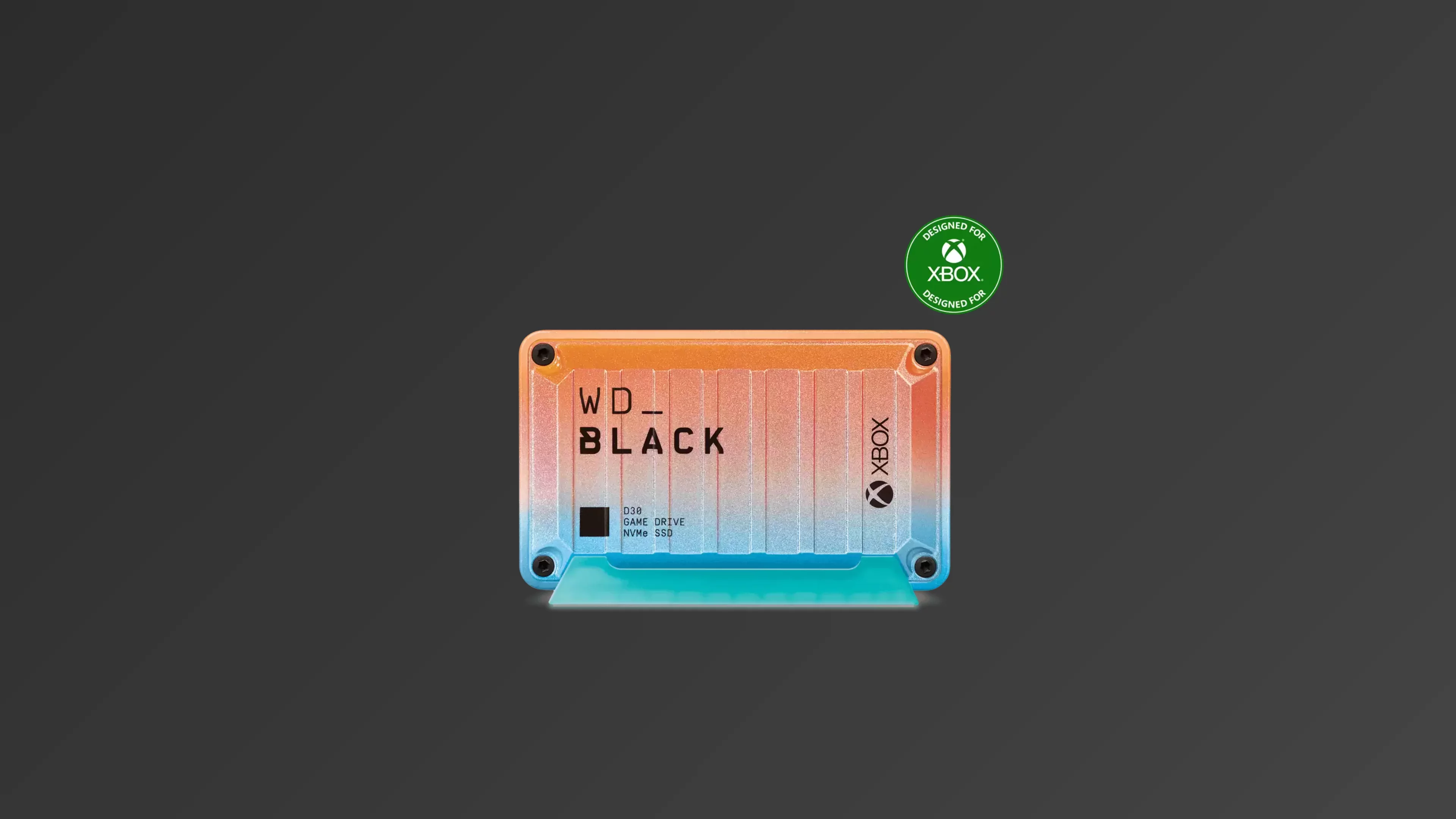
SanDisk WD_BLACK D30 Game Drive SSD for Xbox Limited Edition
The External Storage Upgrade Every Gamer Actually Needs
900 MB/s external speeds | Xbox & PS5 compatible | USB 3.2 Gen 2 interfaceIntroduction
If your Xbox library is groaning under the weight of massive next-gen titles, the WD_BLACK D30 Game Drive SSD promises to be your digital warehouse. But before you click "buy," let's dissect what this sleek black box actually delivers—and where its limitations might make you pause.
Product Overview: What's Under the Hood
The WD_BLACK D30 Game Drive SSD is an external storage solution that marries a compact NVMe SSD with a USB 3.2 Gen 2 bridge, delivering speeds up to 900 MB/s. This Limited Edition Xbox variant sports a striking industrial design with Xbox branding that looks right at home next to your console. Inside, Western Digital uses their own in-house controller paired with SanDisk's 96-layer 3D TLC NAND flash—the same reliable memory found in their mainstream internal drives. The drive comes in three flavors: 500GB, 1TB, and 2TB, each backed by a three-year warranty and a detachable stand for vertical mounting.
Performance & Real-World Speed: The 900 MB/s Promise
Western Digital advertises "optimized speeds up to 900 MB/s," but here's where reality gets interesting. On a PC with USB 3.2 Gen 2 ports, the D30 absolutely delivers—hitting those peak sequential read/write numbers in synthetic benchmarks and sustaining them during large file transfers. That means a 50GB game moves in under a minute, and loading screens in compatible titles vanish noticeably faster than mechanical hard drives.
The catch? Your Xbox Series X|S uses USB 3.2 Gen 1 ports, which cap bandwidth around 500 MB/s in practice. You'll still see dramatically improved load times over a traditional external HDD, but you won't experience the D30's full potential on Microsoft's console. PlayStation 5 owners fare slightly better—the console's USB ports can push closer to the drive's limits, making PS4 game loading nearly instantaneous.
What this translates to: If you're upgrading from a spinning hard drive, the D30 feels like strapping a rocket to your game library. If you're coming from an internal NVMe drive, temper your expectations—this is external storage, not a direct replacement for your console's built-in SSD.
Thermal Management: Cool Enough for Comfort
Unlike blistering-fast internal PCIe Gen 4 drives that can throttle at 70°C without beefy heatsinks, the D30 runs remarkably cool. The external enclosure acts as its own heat sink, and the USB interface naturally limits power consumption. During extended gaming sessions, the drive stays warm to the touch but never hot enough to trigger thermal throttling. You can tuck it behind your console or display it prominently—either way, it won't break a sweat. For PC users, the D30 doesn't need supplemental cooling; your motherboard's USB power delivery handles everything gracefully.
Compatibility: What Works Where
Xbox Series X|S: Storage, But Not a Magic Bullet
The D30 connects seamlessly to Xbox Series X|S consoles and can store your entire game collection. However, Xbox Series X|S optimized games cannot be played directly from the D30—they must be transferred to the internal SSD or a proprietary Seagate Storage Expansion Card to run. You can play Xbox One, Xbox 360, and original Xbox titles directly from the D30, and you can archive next-gen titles to free up precious internal space. This isn't a limitation of the drive; it's Microsoft's security architecture at work.
PlayStation 5: Archives and Backward Compatibility
The D30 is compatible with PlayStation 5 for playing and storing PS4 games, and you can archive PS5 games on it. Like Xbox, PS5 titles must be copied to the internal SSD to play, but the process is quick thanks to the D30's speed. The PS5's USB ports can better utilize the drive's bandwidth, making it a more performant option for Sony's ecosystem.
PC and Mac: Plug-and-Play Versatility
On Windows 10/11 and macOS 10.11+, the D30 functions as a standard external SSD. Use it for game libraries, video editing scratch disks, or lightning-fast backups. The USB-C to USB-A cable ensures compatibility with older systems, while USB-C ports unlock maximum speed.
Strengths & Weaknesses
Pros
Compact, rugged design with military-inspired aesthetics that gamers love
Up to 900 MB/s speeds on compatible USB 3.2 Gen 2 ports
Doubles storage for massive game libraries without deleting favorites
Works across Xbox, PlayStation, PC, and Mac with a single cable
Includes detachable stand for vertical display and Xbox Game Pass Ultimate trial
Cons
Cannot play Xbox Series X|S or PS5 optimized games directly
Xbox consoles limit speed to ~500 MB/s due to USB 3.2 Gen 1 ports
Higher cost per gigabyte than internal NVMe drives
Faces stiff competition from faster external SSDs and proprietary expansion cards
Limited to 2TB maximum capacity when 4TB+ games exist
Verdict: Should You Buy It?
Buy this if: You're an Xbox or PlayStation gamer drowning in game installs and need fast, reliable external storage for archiving and backward-compatible titles. The D30's blend of speed, style, and plug-and-play simplicity makes it ideal for console owners who value convenience over absolute performance.
Skip this if: You want to play Xbox Series X|S or PS5 games directly from external storage—this requires proprietary expansion cards or internal NVMe drives with heatsinks. PC gamers seeking maximum speed should consider internal PCIe Gen 4 drives like the WD_BLACK SN850X or Samsung 990 Pro, which deliver 7,000+ MB/s when paired with a capable motherboard.
The D30 occupies a middle ground: faster than any external HDD, but held back by USB interface limitations on consoles. It's a specialist tool, not a universal upgrade. If your gaming diet includes many last-gen titles or you simply need affordable archive space, the D30 scratches that itch beautifully. For next-gen-only gaming, save for the proprietary expansion card instead.
-nzgzbprdbv.svg)