
SanDisk Professional PRO-G40
Rugged Thunderbolt Storage That Works
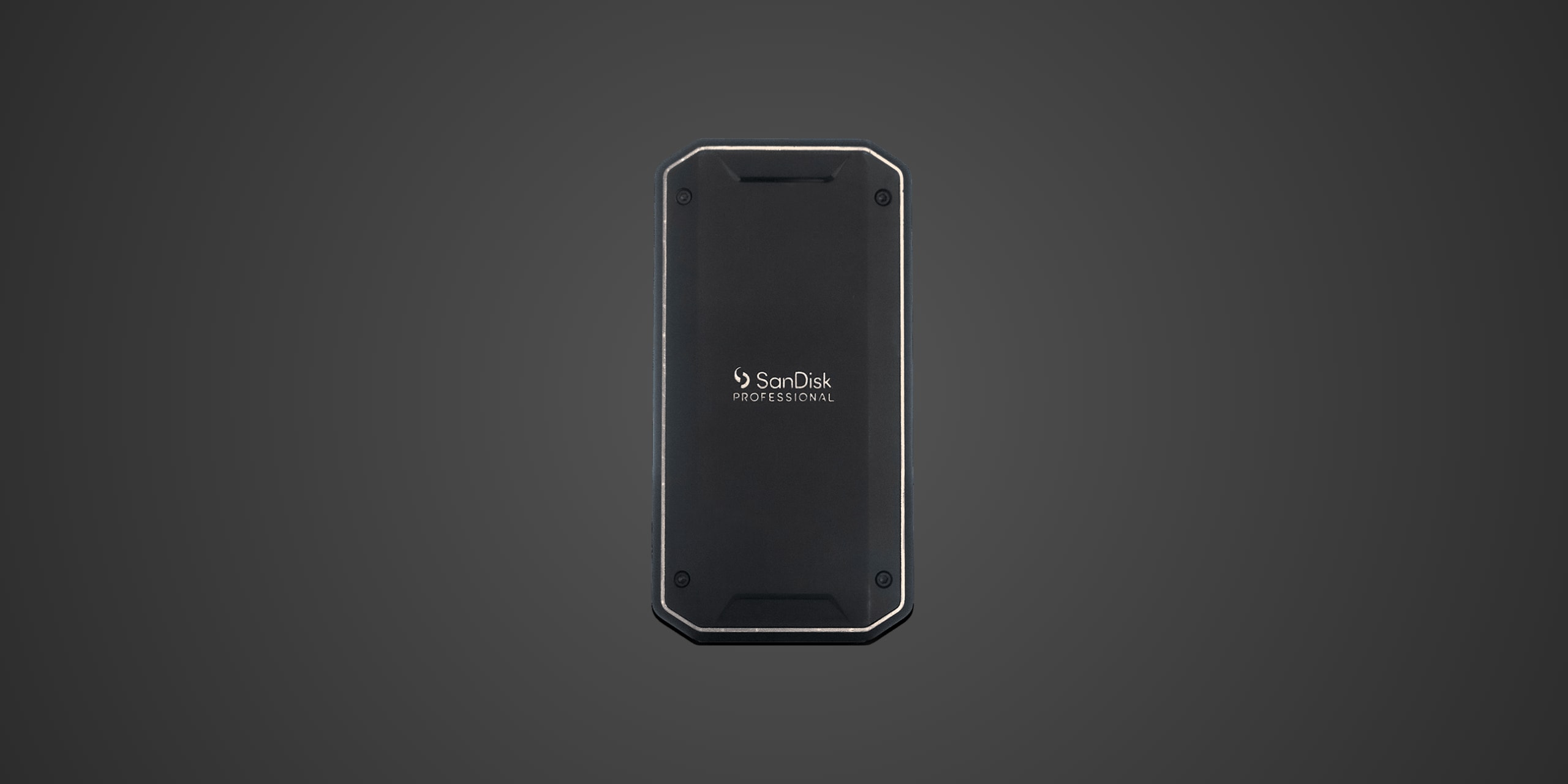
Table of Contents
Introduction
The SanDisk Professional PRO-G40 exists for professionals who can't afford to babysit their storage. Content creators hauling cameras through dusty job sites, field editors bouncing between locations, and anyone who treats their gear like tools rather than museum pieces will appreciate what this drive offers. This is a Thunderbolt 3 external SSD wrapped in aluminum and rubberized armor, designed to survive the chaos of real-world production environments while delivering speeds that let you actually get work done.
Unlike consumer-focused portables that prioritize thinness and fashion, the PRO-G40 targets mobile professionals who need both speed and durability. The dual-mode interface supports Thunderbolt 3 at 40 Gbps and falls back to USB 3.2 Gen 2 at 10 Gbps, giving you flexibility across different devices while maintaining impressive transfer speeds. This positions it as a premium option for demanding workflows where both performance consistency and physical resilience matter equally.
Product Overview
The SanDisk Professional PRO-G40 houses a genuine M.2 2280 NVMe SSD inside a ruggedized enclosure rather than using cheaper embedded flash. The internal drive features Western Digital's proprietary controller (the same architecture found in the WD Red SN700), 96-layer BiCS4 TLC NAND, and 1GB of DDR4 DRAM cache. This hardware combination prioritizes sustained performance consistency over peak burst speeds, making it particularly well-suited for professional video workflows that require reliable transfer rates rather than just impressive spec sheet numbers.
The enclosure measures 4.36 x 2.28 x 0.47 inches and weighs approximately 121 grams, striking a balance between portability and durability. The aluminum core provides both structural protection and passive heat dissipation, surrounded by a rubberized silicone bumper that absorbs impacts. The USB-C port is reinforced with metal for added longevity, and SanDisk rates the entire assembly with an IP68 dust and water resistance rating. The company claims it can survive three-meter drops and withstand up to 4,000 pounds of crush force.
Connectivity runs through two bridge chips: an Intel Titan Ridge JHL7440 Thunderbolt 3 controller and an ASMedia ASM2362 USB bridge. This dual-controller approach enables true Thunderbolt 3 connectivity rather than simple USB protocol tunneling, allowing the drive to leverage the full 40 Gbps bandwidth when connected to Thunderbolt-equipped devices. When connected via standard USB-C ports, the ASM2362 handles 10 Gbps USB 3.2 Gen 2 transfers. The drive includes a short 8-inch Thunderbolt 3 USB-C to USB-C cable and ships in 1TB and 2TB capacities.
Performance & Real World Speed
SanDisk rates the PRO-G40 for up to 2,700 MB/s sequential reads and up to 1,900 MB/s sequential writes when connected via Thunderbolt 3. In USB 3.2 Gen 2 mode, those figures drop to up to 1,050 MB/s reads and up to 1,000 MB/s writes. These aren't the absolute fastest numbers in the external SSD category, but they represent what the underlying hardware can genuinely deliver rather than theoretical maximums that only appear in synthetic benchmarks.
What sets the PRO-G40 apart is sustained performance consistency. The WD controller architecture and DRAM cache combination means this drive maintains write speeds exceptionally well during large file transfers. When you're dumping hours of 4K footage from memory cards or moving 200GB project folders between machines, the PRO-G40 doesn't slow to a crawl after the first few gigabytes like many competitors. Independent testing has confirmed that sustained write performance remains impressively stable, making it particularly valuable for video production workflows where predictable transfer times matter more than peak burst speeds.
For practical use cases, Thunderbolt 3 connectivity enables editing 4K ProRes video directly from the external drive without stuttering playback. Multi-gigabyte file transfers complete quickly enough that you're not standing around waiting, and the drive handles continuous recording duties without dropping frames. The USB fallback mode sacrifices some speed but remains perfectly adequate for general backup tasks, transferring game libraries to consoles, or working with less demanding file types. Thermal throttling exists but remains mild thanks to the aluminum enclosure's passive cooling, and the drive typically maintains performance even during extended transfer sessions.
Build Quality & Durability
The PRO-G40's enclosure feels genuinely substantial rather than merely protective. The aluminum core provides rigid structural integrity while simultaneously functioning as a heatsink, and the rubberized bumper edge compresses noticeably when squeezed, suggesting it will actually absorb impact energy rather than just looking rugged. The reinforced metal USB-C port inspires confidence compared to the exposed plastic connectors found on thinner consumer drives, addressing what's often the first point of failure on portable storage.
SanDisk's IP68 rating means this drive should survive complete submersion in water and exposure to dust without failing, though you obviously shouldn't test those limits deliberately. The drop resistance claim of three meters (approximately 10 feet) addresses the most common real-world accident scenario, and the 4,000-pound crush resistance suggests it won't die if you accidentally pack it under heavy equipment. The included cable is disappointingly short at only 8 inches, forcing you to either position your laptop awkwardly or purchase a longer Thunderbolt 3 cable separately.
SanDisk backs the PRO-G40 with a five-year warranty, which is generous compared to the three-year coverage typical of consumer external SSDs. This longer warranty period suggests the company has confidence in the drive's longevity, and the absence of any specified endurance rating (TBW limit) means Western Digital isn't trying to weasel out of coverage based on write volume. In practice, these drives have earned a solid reputation for reliability, though it's worth noting that some Extreme and Extreme Pro models produced in late 2022 and early 2023 experienced firmware-related failures. The PRO-G40 uses different hardware architecture and hasn't shown the same widespread issues.
Compatibility
The PRO-G40 works with any device that has either Thunderbolt 3/4 ports or standard USB-C ports supporting USB 3.2 Gen 2. On Windows PCs and Macs with Thunderbolt, you get full 2,700/1,900 MB/s performance. On devices with USB-C but without Thunderbolt (most non-premium laptops, tablets, and desktops), performance falls back to the still-respectable 1,050/1,000 MB/s USB speeds. The drive ships formatted exFAT, which works across Windows, macOS, and Linux without reformatting. For dedicated single-platform use, Windows users might prefer NTFS while Mac users could opt for APFS.
For console compatibility, the PRO-G40 can store and play PlayStation 4 games on both PS4 and PS5 consoles, and it can store (but not play) PlayStation 5 games as backup storage. On Xbox One and Xbox Series X/S, it similarly stores and plays Xbox One games while providing backup storage for Series X/S-optimized titles. This drive is not compatible with the PlayStation 5's internal M.2 expansion slot, as that requires a bare M.2 drive with an attached heatsink rather than an external enclosure. It's also completely incompatible with Xbox Series X/S internal storage expansion, which exclusively requires Microsoft's proprietary Seagate Storage Expansion Cards.
Mobile device support depends on specific hardware. Recent iPad Pro models with Thunderbolt/USB 4 ports can use the PRO-G40, though iOS/iPadOS limitations on file management reduce its usefulness compared to traditional computers. Android devices with USB-C ports and OTG support can access the drive for file transfers. Bus power delivery works across all supported connections, so you never need a separate power adapter—the PRO-G40 draws everything it needs through the single cable.
Strengths & Weaknesses
The PRO-G40 delivers exceptional sustained write performance that separates it from competitors focused purely on peak burst speeds. That WD controller and DRAM cache combination means you get consistent transfer rates during large file operations rather than watching speeds collapse after the SLC cache fills. This makes it genuinely practical for professional video workflows where you're regularly moving massive project folders or dumping multi-hour camera recordings. The Thunderbolt 3 interface provides meaningful speed advantages over USB-only alternatives, and the USB fallback mode ensures the drive remains useful even when connected to non-Thunderbolt devices.
Build quality and durability justify the premium positioning. The aluminum and rubber construction feels purpose-built for field use rather than desk-bound storage, and the IP68 rating plus drop resistance claims address real-world accident scenarios. The five-year warranty demonstrates Western Digital's confidence in longevity, and the reinforced USB-C port should withstand repeated connection cycles better than exposed plastic alternatives. The drive's passive thermal management keeps it running cool during extended transfers without requiring active fans that could fail or introduce noise.
However, the PRO-G40 carries a substantial price premium over competing external SSDs. You're paying roughly double what similar-capacity drives cost from brands like Crucial or even Samsung's T7 series. That premium buys you Thunderbolt connectivity and enhanced durability, but budget-conscious users might struggle to justify the expense, especially if they primarily use USB connections where the speed difference shrinks considerably. The included cable's eight-inch length borders on useless for any reasonable working arrangement, forcing most users to immediately purchase a longer Thunderbolt 3 cable as an additional expense.
The drive uses older 96-layer BiCS4 NAND rather than more modern 112-layer or higher generation flash, though this doesn't meaningfully impact performance for its intended use cases. Competition has intensified since the PRO-G40's launch, with options like Samsung's T7 Shield offering comparable ruggedness and decent performance at significantly lower prices, and the newer T9 providing even faster speeds. For users who already own Thunderbolt-equipped computers and need maximum sustained performance, the PRO-G40 makes sense. For everyone else, the value proposition becomes harder to defend against less expensive alternatives that sacrifice some peak performance and Thunderbolt connectivity but deliver adequate speeds and durability for hundreds less.
Verdict: Should You Buy It?
Buy this if:
- You regularly edit 4K or higher resolution video in the field and need consistent transfer speeds for large files
- You own Thunderbolt 3 or Thunderbolt 4 equipped computers and want to leverage that bandwidth for external storage
- Your workflow involves frequently moving massive project folders between locations and reliability matters more than saving money
- You need genuinely rugged portable storage that can survive drops, dust, water exposure, and general field abuse
- You want the peace of mind that comes with a five-year warranty and proven sustained performance consistency
Skip this if:
- Your computer lacks Thunderbolt ports and you'll primarily use USB connections where cheaper alternatives deliver similar speeds
- Budget constraints make the premium price difficult to justify compared to consumer external SSDs that cost half as much
- You mostly work at a single desk location where internal SSDs or less portable external drives offer better value
- You're willing to sacrifice some ruggedness and Thunderbolt connectivity for significantly lower prices from competitors like Samsung's T7 Shield
- The included short cable and older NAND technology bother you enough to consider waiting for next-generation alternatives